Google Assistant Dark Theme: Enhance Your Smart Home Experience
Google Assistant has become a central part of smart homes, helping users control devices, manage routines, stream media, and access information hands-free. While the functionality of Google Assistant is impressive, its visual interface can also be customized—and one of the most requested features is the Dark Theme.
Dark mode not only improves aesthetics but also reduces eye strain, saves battery life on devices with OLED screens, and offers a sleek, modern look. In this comprehensive guide, we’ll explore what Google Assistant Dark Theme is, how to enable it, its benefits, troubleshooting tips, and smart home integration.
What is Google Assistant Dark Theme?
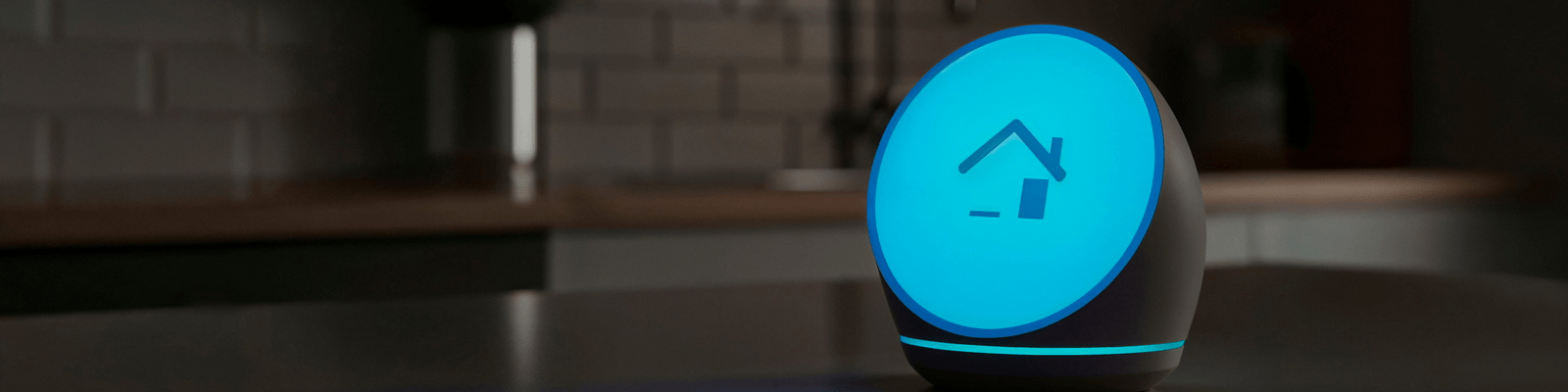
The Google Assistant Dark Theme is a visual interface option that replaces the default light background with darker tones. When activated, the Assistant app, cards, and routines display dark colors and minimal glare, creating a more comfortable experience, especially in low-light environments.
Reduces Eye Strain
Ideal for nighttime use or dimly lit rooms.
Battery Savings
Dark pixels consume less power on OLED and AMOLED displays.
Modern Look
Sleek and professional aesthetic for the Assistant UI.
High Readability
Stronger contrast for text and cards against dark backgrounds.
*Note: While the feature does not change voice commands or core functionality, it drastically enhances the visual experience on phones, smart displays, and tablets.
Devices That Support Google Assistant Dark Theme
How to Enable Google Assistant Dark Theme
Follow these step-by-step instructions to enable dark mode on both your mobile app and smart displays:
Step 1: Open the Google Assistant App
Launch the Google Assistant app on your smartphone or tablet and tap your profile icon in the top right corner.
Step 2: Access Assistant Settings
Navigate to Assistant → General inside the settings menu.
Step 3: Enable Dark Theme
Find the Theme option and select Dark Theme or Follow device theme (syncs with system dark mode).
Step 4: Confirm Changes
The interface will instantly switch to dark mode. All cards, notifications, and routines will now display with a dark background.
Step 5: Smart Display Dark Mode (Nest Hub)
On Nest Hub devices: Go to Settings → Display → Theme → Dark to ensure all visual cards display in a dark color scheme.
Benefits of Using Dark Theme with Google Assistant
1. Nighttime Comfort
Reduces harsh glare and brightness when using Assistant in the dark, ideal for bedrooms.
2. Battery Efficiency
OLED and AMOLED screens conserve energy when illuminating darker pixels on mobile devices.
3. Improved Focus
Dark Theme emphasizes text and highlights relevant info, reducing visual clutter for better readability.
4. Smart Home Control
Checking camera feeds, adjusting lights, or viewing routines is far easier on the eyes in low light.
Customizing Google Assistant with Dark Theme
- Device Theme Sync: Automatically transition between dark and light mode based on time of day or system settings.
- Custom Cards & Routines: Visual cards for weather, news, and reminders render with crisp contrast in dark mode.
- Smart Home Control: View camera feeds, lights, and thermostats comfortably on Nest Hub or tablets in dim environments.
- Night Mode Integration: Combine with Night Mode routines to automatically dim lights and enable dark theme across smart displays.
Troubleshooting Common Issues with Dark Theme
Dark Theme Not Appearing
Ensure Google Assistant and device firmware are updated. Restart the app or re-verify device compatibility.
Cards Still Bright
Some third-party web apps or feeds may not support dark mode. Switch theme to Follow device for consistency.
Nest Hub Brightness
Adjust screen brightness manually if dark theme still feels bright, or turn on Ambient EQ to auto-adjust.
Theme Disappearing
Check if battery saver mode is overriding system settings, and re-apply dark theme preferences in the Assistant app.
Smart Home Use Cases with Dark Theme
Evening Routines
Check security cameras or start music without bright light glare.
Home Office Use
Reduces fatigue during long work hours when managing calendar events.
Living Room Displays
Complements ambient living room aesthetics while controlling TVs and lighting.
Bedside Devices
Prevents bright screens from disrupting sleep cycles for late alarms.
Tips for Optimizing Your Dark Theme Experience
- Enable Auto-Sync: Set Google Assistant to follow your device’s system theme for natural day-to-night transitions.
- Use Night Mode Routines: Automatically dim smart lights and switch displays to dark theme at bedtime.
- Keep Firmware Updated: Regular updates ensure interface smoothness and wide app compatibility.
- Customize Cards: Choose which notifications show up in dark theme for seamless readability.
- Combine Voice & Visuals: Speak commands hands-free while using dark theme for easy low-light viewing.
Written by Abdul Wahab
Smart Home Fixer covers smart lighting, home automation gadgets, and practical setup guides to help you get the most out of your connected home.
Last Updated: August 22, 2026
Frequently Asked Questions (FAQs)
Smartphones, tablets, and Nest Hub smart displays are compatible. Older devices may not support dark mode.
Yes, on OLED and AMOLED screens, dark pixels consume less energy, extending battery life.
Yes. Use the Follow device theme option to sync with system dark/light mode, or schedule routines on Nest Hub.
No. All voice commands, smart home control, and routines work the same way; only the interface appearance changes.
Absolutely. Use dark theme alongside automated routines for evening, morning, or bedtime sequences for a seamless experience.